
Mobile-First Improvements and Our New Feedback System
Mobile-First Improvements and Our New Feedback System
We released Bijify! right before Christmas, and since then we've been busy collecting feedback and diving deep into our analytics. The response has been incredible, and we've learned a lot about how you're using the tool.
The Data Speaks: Mobile is King
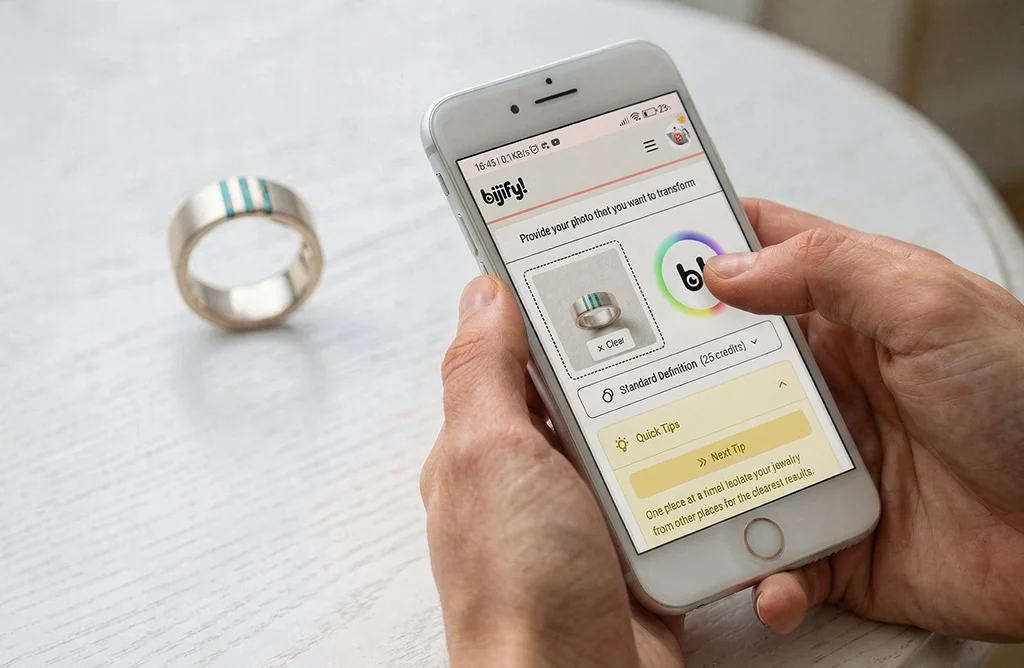
One thing became crystal clear from our analytics: there's a significant skew towards mobile users. And honestly, this makes total sense. You're busy running your jewelry business, managing inventory, updating your online store, attending shows, meeting clients. You're not always at your desk with a large monitor. You need to create product images on the go, from wherever you are.
While desktop remains the platform where you can most comfortably browse through all your produced images in all their glory, we've decided to prioritize improving the mobile experience.
What We've Been Working On
Over the past week, we've focused on three key areas:
Responsiveness
We've refined layouts and components to adapt more gracefully to smaller screens. Elements that felt cramped or awkward on mobile now flow more naturally.
Visual Presentation
The mobile interface now feels more polished and intentional, not like a shrunken desktop version. Your Bijifys! look great on any screen size.
Friction Removal
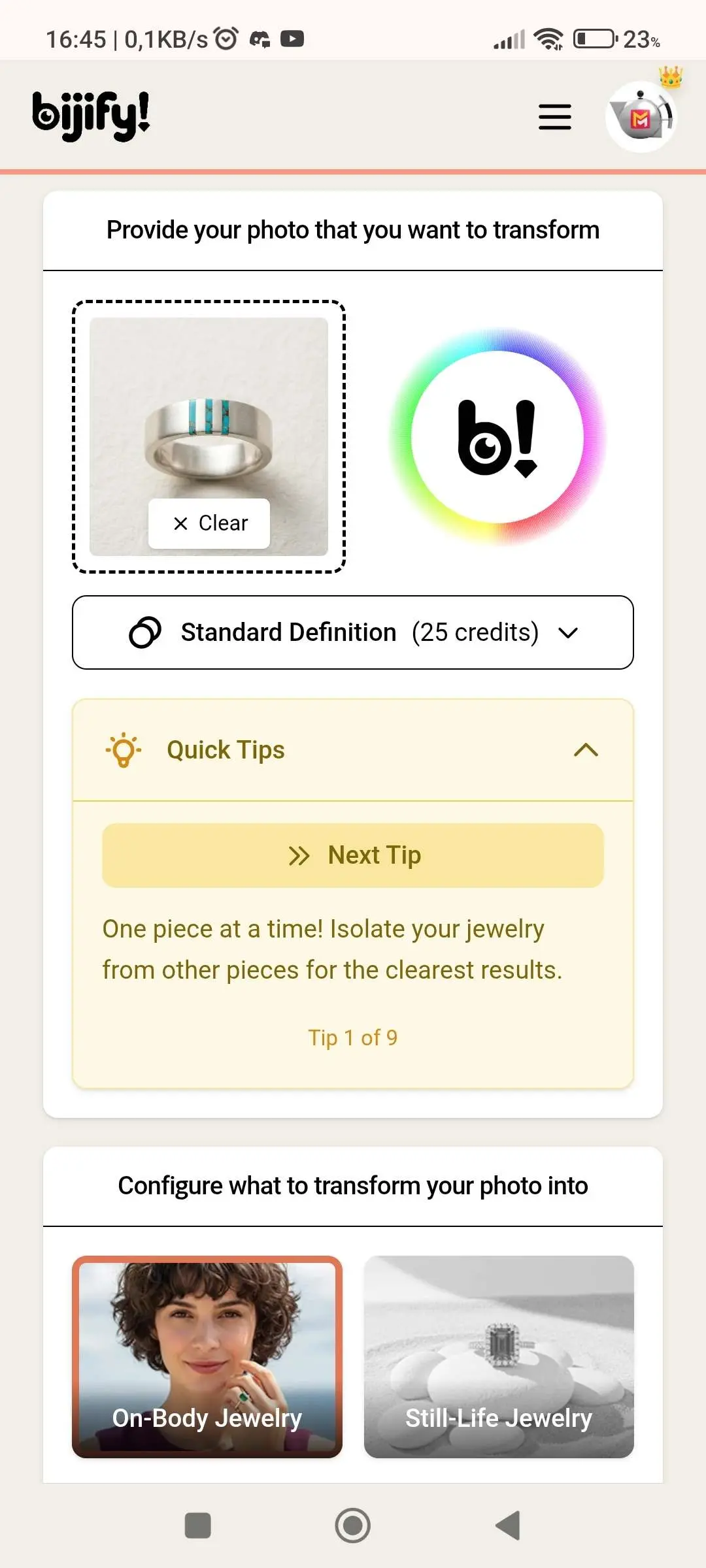
We identified and worked on several UI friction points, specially in the onboarding process. Jumping in and creating your first Bijify! is now a clearer and easier process.
Introducing Our New Feedback System
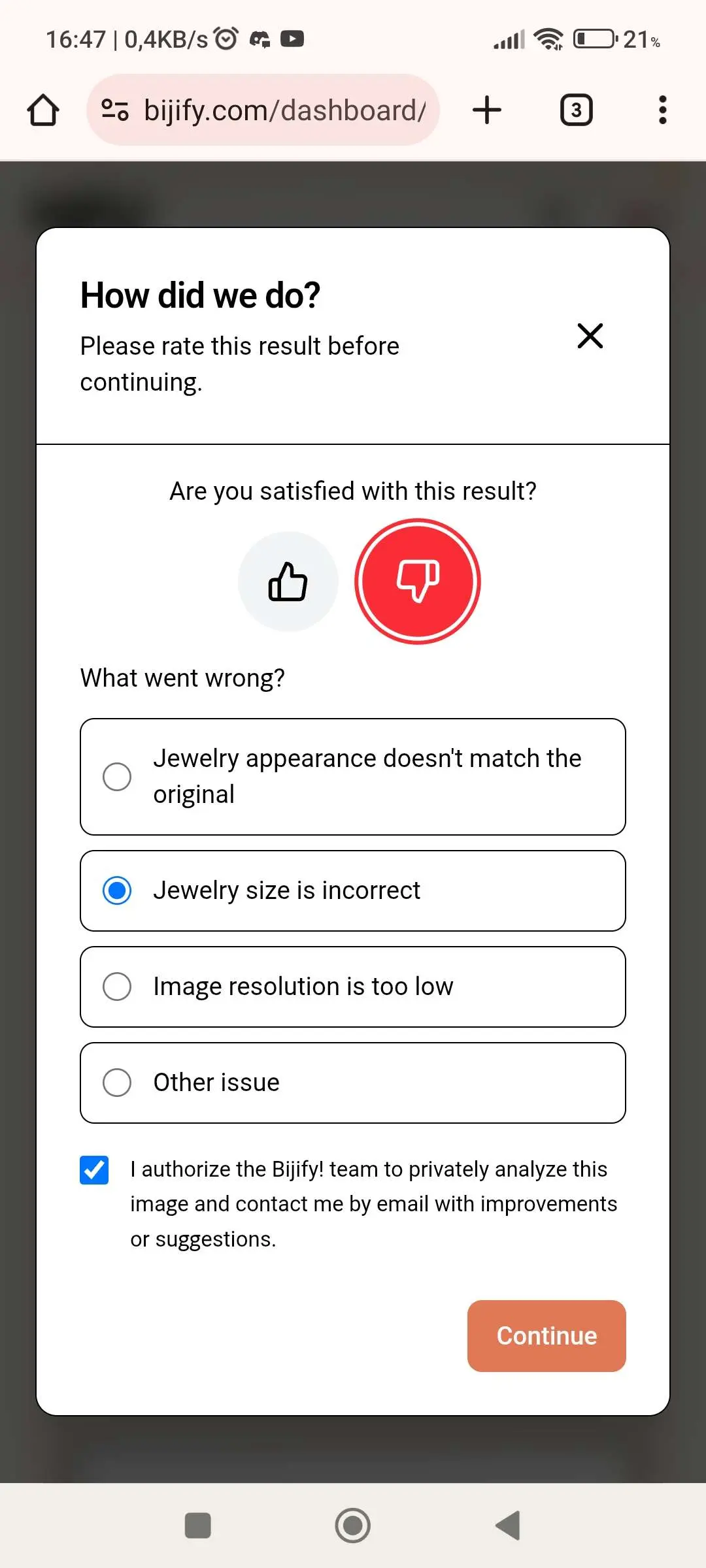
We've also rolled out a new feedback system that prompts you to vote positively or negatively on each new Bijify! you create.
Why is this important?
Your feedback is incredibly valuable to us. It helps us understand the strong and weak points of our solution. Every thumbs up tells us we're on the right track; every thumbs down helps us identify areas that need improvement.
But Here's the Really Cool Part
When you provide feedback, particularly if something didn't turn out quite right, you have the option to grant us permission to review your case. If you agree, one of our tech team members can:
- Review your specific case to understand what went wrong
- Analyze your images to identify the issue
- Assist you by email with tips or suggestions
- Generate fixed images for you when applicable
We're not just collecting feedback to look at charts and graphs. We genuinely want to help you get the best results possible. If a Bijify! didn't come out right, we want to understand why and, when we can, make it right for you.
Looking Forward
This is just the beginning. We have many more improvements planned, and your continued feedback will help shape the direction of Bijify!. Thank you for being part of this journey with us.
As always, if you have questions or suggestions, reach out to us at info@bijify.com.
Happy Bijifying!